
Unofficial guide hub
Tricky Twist Level Walkthroughs & Solutions
Tricky Twist Puzzle is a freeform cartoon riddle game where each scene hides an unexpected sequence of taps, drags, reveals, transformations, or object combinations behind the apparent objective.
Jump straight to your stuck level
Browse by 50-Level Ranges
Pick a range and browse every Tricky Twist level. Levels after 50 are queued and stay inactive until their guides are published.
Milestone levels
Featured
 Level 1 Level 1 10 Live
 Level 10 Level 10 20 Live
 Level 20 Level 20 Warm Bed 30 Live
 Level 30 Level 30 40 Live
 Level 40 Level 40 50 Live
 Level 50 Level 50 Level 1 Level 1 2 Live
 Level 2 Level 2 3 Live
 Level 3 Level 3 4 Live
 Level 4 Level 4 5 Live
 Level 5 Level 5 6 Live
 Level 6 Level 6 7 Live
 Level 7 Level 7 8 Live
 Level 8 Level 8 9 Live
 Level 9 Level 9 10 Live Level 10 Level 10 11 Live
 Level 11 Level 11 Cold Room 12 Live
 Level 12 Level 12 Soda Can Challenge 13 Live
 Level 13 Level 13 Hidden Food 14 Live
 Level 14 Level 14 Dirty Bath 15 Live
 Level 15 Level 15 River Bridge 16 Live
 Level 16 Level 16 Shopping Scrap 17 Live
 Level 17 Level 17 Beauty Cleaning 18 Live
 Level 18 Level 18 Wedding Gift 19 Live
 Level 19 Level 19 Bathroom Makeover 20 Live Level 20 Level 20 Warm Bed 21 Live
 Level 21 Level 21 Quiet Bedroom 22 Live
 Level 22 Level 22 Ladder Rescue 23 Live
 Level 23 Level 23 Wake Him Up 24 Live
 Level 24 Level 24 Find the Bride 25 Live
 Level 25 Level 25 Cash Upgrade 26 Live
 Level 26 Level 26 27 Live
 Level 27 Level 27 28 Live
 Level 28 Level 28 29 Live
 Level 29 Level 29 30 Live Level 30 Level 30 31 Live
 Level 31 Level 31 32 Live
 Level 32 Level 32 33 Live
 Level 33 Level 33 34 Live
 Level 34 Level 34 35 Live
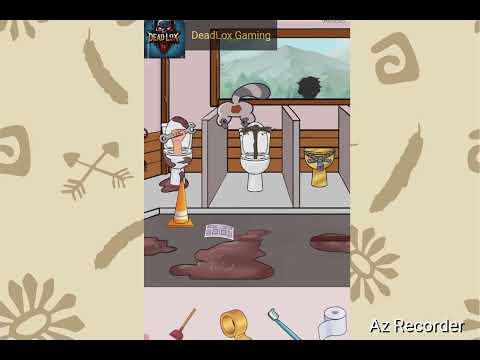 Level 35 Level 35 36 Live
 Level 36 Level 36 37 Live
 Level 37 Level 37 38 Live
 Level 38 Level 38 39 Live
 Level 39 Level 39 40 Live Level 40 Level 40 41 Live
 Level 41 Level 41 Wedding Photo 42 Live
 Level 42 Level 42 Hide the Secret 43 Live
 Level 43 Level 43 Rescue the Girls 44 Live
 Level 44 Level 44 River Crossing 45 Live
 Level 45 Level 45 Extreme Workout 46 Live
 Level 46 Level 46 47 Live
 Level 47 Level 47 48 Live
 Level 48 Level 48 49 Live
 Level 49 Level 49 50 Live Level 50 Level 50
What is Tricky Twist?
Tricky Twist is a free-to-play mobile puzzle game developed by ABI GLOBAL LTD. and available on iOS and Android. Tricky Twist Puzzle is a freeform cartoon riddle game where each scene hides an unexpected sequence of taps, drags, reveals, transformations, or object combinations behind the apparent objective.
The game currently features up to 151 levels, and LevelSolve covers 50 of them with step-by-step walkthroughs, spoiler-free tips, and video guides where available. Whether you are stuck on an early board or a late-game challenge, each guide is written to help you understand the logic behind the solution rather than just giving you the answer.
This hub page is your starting point for every Tricky Twist walkthrough on LevelSolve. Browse by level range below, or use the search box to jump directly to the level you need help with.
How to Play Tricky Twist
These tips apply across all Tricky Twist levels. For level-specific advice, open any walkthrough from the range browser above.
- Read the question text carefully — many levels rely on wordplay or misdirection that hides the real task.
- Try interacting with every element on screen. Drag, pinch, shake, or swipe objects that look static — hidden interactions are a hallmark of this genre.
- If the obvious answer does not work, think about what the level title or prompt literally says rather than what it implies.
- Some levels have multi-step solutions. If your first action changed something on screen but did not solve it, look for a follow-up interaction.